
Product · Driver app
Your own vehicle app. Ready to launch.
An iOS and Android app under your name, in your store account, that does far more than show a battery level: the vehicle's logbook and documents, alerts that protect it from theft, remote commands, a cockpit with navigation, Bluetooth to the vehicle, sharing with family. We build it, release it and keep it up to date.
Tap around · demo data
01How it works
Configured for your vehicles and your brand.
Your brand, your vehicle types, the functions you switch on and the services you sell.
- Step 01
You bring the brand
Name, icon, colours, store texts, your developer accounts.
- Step 02
We configure the app
Vehicle type, functions, languages, your services and your prices.
- Step 03
We build and submit
iOS and Android builds, store review, release notes. Under your name.
- Step 04
It keeps updating
Every new platform feature reaches your app in the next release.
02What ships today
Apps already in the stores.
Each one is this app, configured, and each ships in the manufacturer's own store account.
| App | Manufacturer | Vehicle |
|---|---|---|
| LiveWire Connect ↗ | Harley-Davidson · LiveWire | Electric motorcycles |
| Torqeedo TorqView ↗ | Torqeedo | Electric outboards |
The brands that let us name them. More are live under their own names.
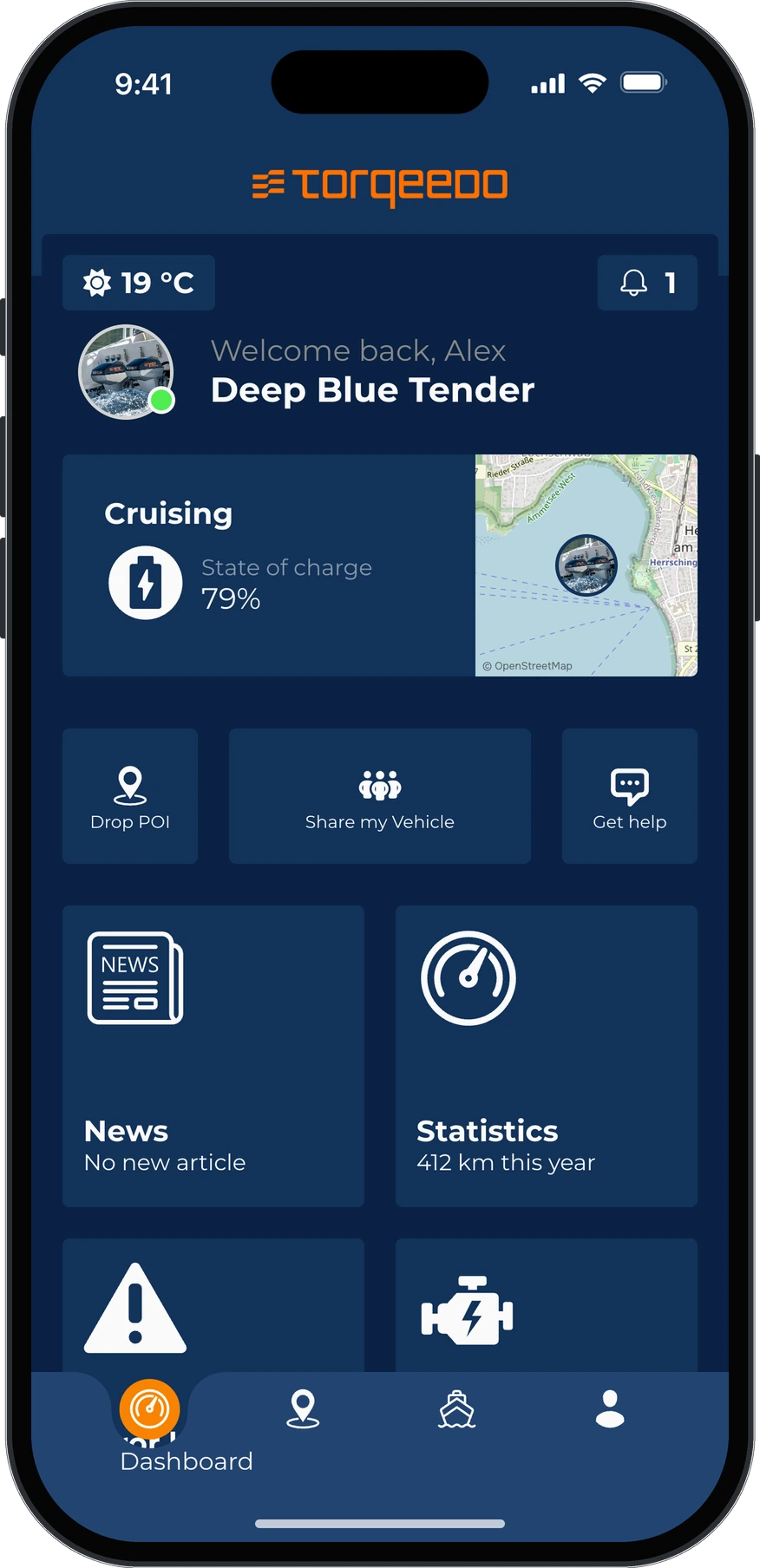
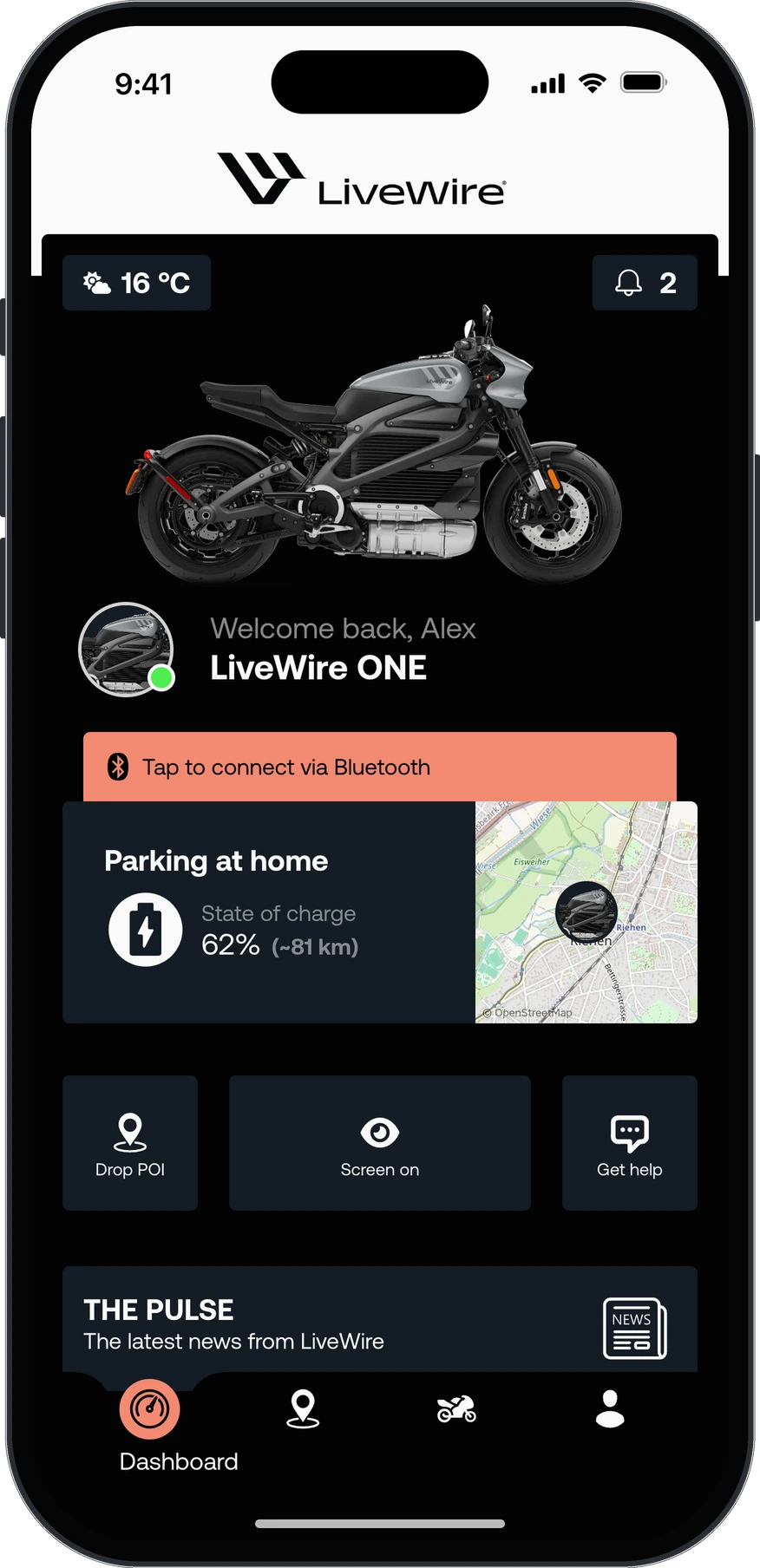
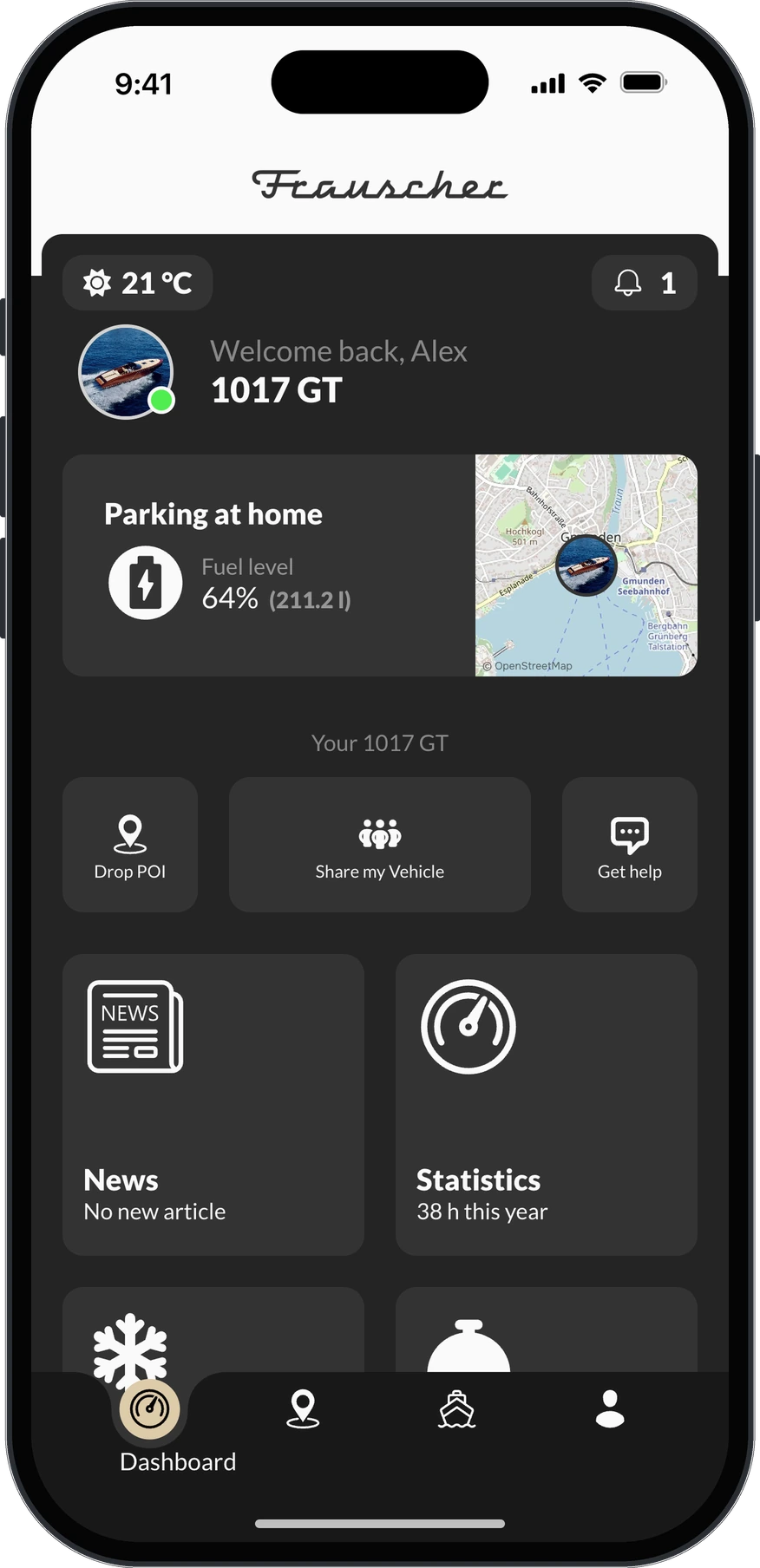
Three brands, three vehicle types, one app · demo data
03What your drivers get
Everything a driver needs from the vehicle.
Every function below is in the app today; which ones a vehicle gets depends on its hardware. You switch them on per vehicle type and market, and your drivers get an app that earns its place on the home screen.
Driver app · LiveWire · tap around · demo data
01
The vehicle at a glance
The app opens on the vehicle: where it is, its charge or fuel, and when it last reported. One tap shows the full status, and the logbook writes down every trip by itself, with its route.
- Dashboard
- Position, charge or fuel, quick actions and your own tiles
- Status
- Charge or fuel, range, ignition, when it last reported
- Logbook
- Every trip with distance, duration, speeds and the route
02
Peace of mind
Owners decide what they want to hear about, and the app tells them the moment it happens. That is what makes theft protection work: the vehicle moves away from where it was parked, or its battery runs low, and the owner knows. What is due at the workshop, and the papers that go with it, are one tap away.
- Notifications
- Alert rules the owner sets, as push notifications
- Theft protection
- The vehicle moves away, the battery runs low
- Remote commands
- Unlocking and more, where the vehicle supports it
- Maintenance
- What is due and when, and the service history
- Documents
- Manuals, warranty and service reports, for this vehicle
03
Cockpit and navigation
The cockpit puts the map and the vehicle's own gauges on one screen, in your brand's design. Long-press any point, or tap one of your dealers on the map, and the app shows the direction and counts down the distance. Bluetooth connects straight to vehicles that support it. For a manufacturer this is usually a project of its own. Here it comes almost out of the box.
- Cockpit
- The map and the vehicle's gauges on one screen
- Navigation
- Direction and distance to any point or partner
- Partners on the map
- Your dealers, with address, phone and the way there
- Bluetooth
- A direct connection to vehicles that support it
04
Share my vehicle
One vehicle often has more than one rider. In the vehicle's settings, the owner invites family and friends by email, decides what each of them may see, from the whole vehicle to its current status only, and takes access back at any time. A driver with more than one vehicle keeps all of them in one profile. The app speaks German, English, French and Italian today, more to come, so you can roll it out market by market.
- Sharing
- Invited by email, with one of five access levels
- Garage
- All of a driver's vehicles in one profile
- Languages
- DE · EN · FR · IT, more to come
05
Help, services and more
When something is wrong, the owner asks the right partner from the app, with the error code attached. The services you sell, from winter storage to a subscription, are booked and paid right there. Services plug in: yours, or a partner's, appear inside the app as part of it, without a second app or login. And with a supported IoT device on board, owners and fleets connect sensors of their own, and the readings show up next to the vehicle's data.
- Support
- Requests to the right partner, with the error code attached
- Services
- Booked and paid in the app, at your prices
- Partner services
- Third-party services, built into the app
- Sensors
- Readings of your own sensors, next to the vehicle's
04What is counted
- Billed per
- Connected vehicle, monthly
- App users per vehicle
- Owner plus the people they share it with
- Platforms
- iOS and Android
- Languages
- DE · EN · FR · IT, more to come
- Store accounts
- Yours
- Releases
- Built and shipped by us, continuously
The per-vehicle price is published on pricing. Store fees and your developer accounts stay with you.
05Questions
About the driver app.
Is the app really ours, or is it co-branded?
Yours. Your name, your icon, your store listing and your developer account. c.technology is not visible to your customer.
Who submits it to the App Store and Google Play?
We build and submit the releases; the accounts and the listings are yours, so the relationship with Apple and Google stays with you.
Can we add our own features?
You can switch functions on and off per vehicle type and market, and you can sell your own services and prices in the app. Anything beyond that is built through the open APIs, or with us.
What happens when c.technology ships a new feature?
Every brand build gets it in the next release. There is no per-brand fork to maintain.
Where do over-the-air updates happen?
Over the vehicle's own connection, or through your app. You roll firmware out per part and vehicle type from the OEM Suite, and we host and serve the file. A vehicle with its own modem fetches it from our API. One without gets it from your app over Bluetooth. Building your vehicle's protocol into the app is part of enterprise. The control unit applies it, and you see which vehicles have.
Can the rider control the vehicle from the app?
Whatever your hardware exposes. Charging, locking and similar commands work where the vehicle supports them, and the app shows only what that model can actually do.
Does it work for boats and scooters alike?
Yes. The app is configured per vehicle type, so each shows what matters for it: a boat shows engine hours and the launch service, a motorcycle range and charge.
Where to go next